
Control AI access and consent
This feature is in early access: it is built and tested, but not yet switched on for every organisation or not yet tried with the outside provider. Ask us on WhatsApp if you would like to try it.
AI stays off until the workspace owner switches it on in Settings → AI (/settings/ai) and accepts the data-sharing consent. Ordinary imports, accounting calculations and offline capture work without an LLM.
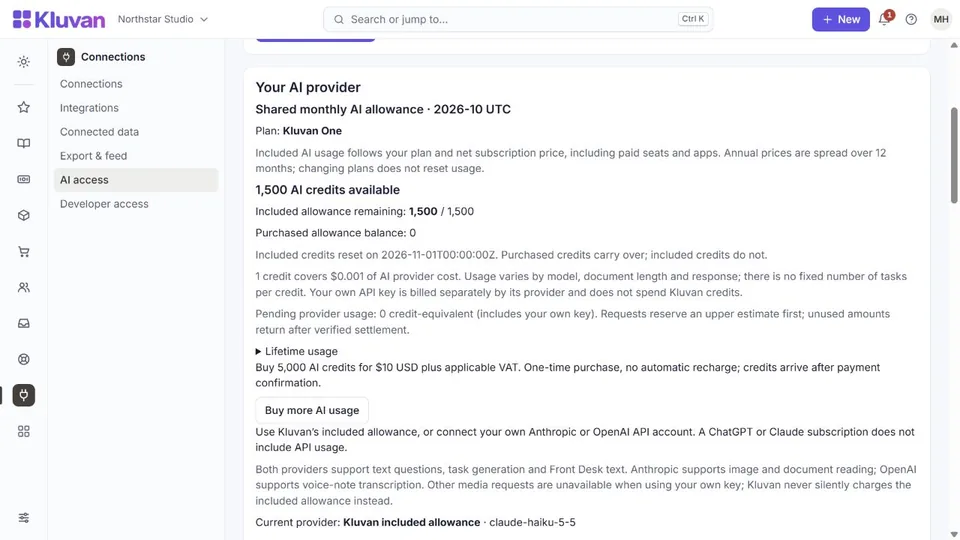
Every AI feature is paid from one balance of AI credits on Billing → AI credits (/billing/credits). Settings → AI keeps the consent, the provider choice and the MCP keys; it no longer sells credits and links to Billing → AI credits. See AI credits.
- Read Kluvan’s terms, privacy notice and the linked provider terms. Confirm the data-sharing agreement, then switch AI on. Relevant business records and submitted files or text may be sent to the selected provider; review sensitive content before submitting it.
- To see your credits or buy more, follow the link to Billing → AI credits. It shows the included credits, the bought balance, top-ups, limits and one usage ledger. Credits appear after verified payment, not merely after returning from checkout.
- Alternatively, select Anthropic Claude or OpenAI, enter your own API key and accept the provider disclosure. Your provider bills this usage directly; it uses no Kluvan credits.
- The MCP keys for external assistants are managed on the same page.
- To opt out, switch AI off here. This stops future AI requests, including your own-key requests and external assistant access. It cannot recall requests already sent or remove business records you saved.
One AI credit is worth US$0.01. A trial includes 100 credits for the whole trial, and the free HR Starter and Books Starter plans 150 credits once. Paid plans include credits for each paid period plus a monthly AI allowance that grows with the subscription. Included credits are used first, then the credits you bought, which never expire. Each use is held before it runs, and the part not used goes back when it finishes. An exhausted balance blocks a new paid request before it reaches the provider; top up, use your own key, or wait for the next included credits. Automatic charges beyond the balance are off by default and need a monthly limit, and an automatic top-up happens only with the owner's explicit consent. Cached results avoid another model request. Request-rate safeguards still apply.
AI suggestions require human review; provider handling and retention depend on the linked terms, not a universal no-retention promise.
Was this page helpful?
Thank you. Your answer helps us improve this page.
Still need help?
Chat with us on WhatsApp. Tell us what you were doing and, for an error, the code after the # in the link.