
Connect your work across apps
This feature is in early access: it is built and tested, but not yet switched on for every organisation or not yet tried with the outside provider. Ask us on WhatsApp if you would like to try it.
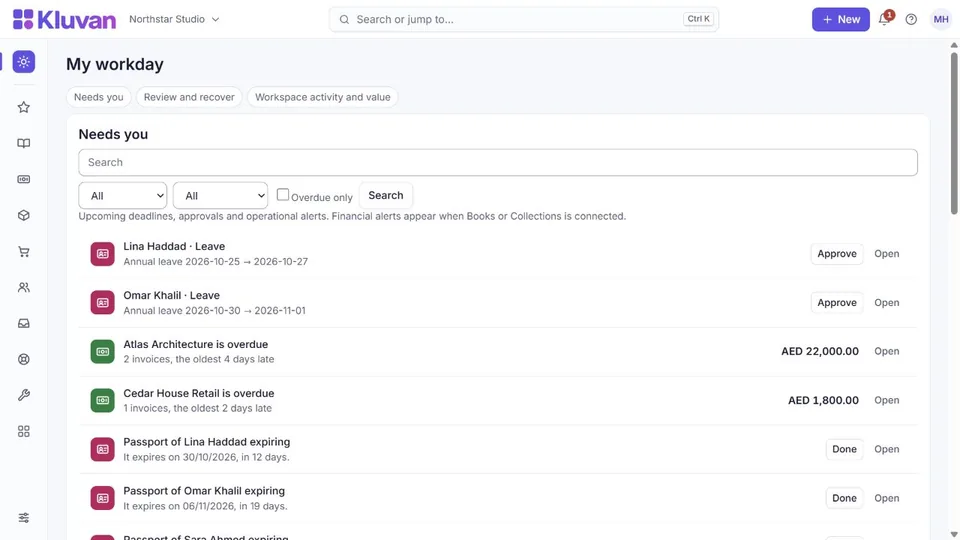
Open Workday (/workday) to filter permitted actions by app, search and overdue status. Open the source item to act. Ctrl+K helps find permitted records and shortcuts. Customer and supplier commercial views connect their related records and show balances separately by currency.
In Settings → Connected data (/settings/data-links), the owner can control five eligible links: Expenses → Books, Projects → Books, Contracts → Books, signed Contracts → Documents, and recruitment files → Documents. They start enabled where the destination app and permissions allow them. Review each switch before relying on automatic record creation.
Turning a link off stops eligible new transfers; it does not delete existing history or cancel settlement work. Turning it on again does not backfill old records. Follow the existing record link before entering a sale, cost or document again. Shared customer and product identities help related apps refer to the same record.
Use Settings → Bring your data for CSV, XLSX or pasted spreadsheet tables. Review mappings, findings and the dry run before importing. Optional AI column suggestions require workspace consent and explicit permission to share the bounded samples; normal mapping works without AI. For a recurring source, use live Google Sheets.
Books review, month-end checklists, collections actions and connection attention queues link to the ordinary approval and posting steps. Purchase-to-payment and quote-to-cash still need the appropriate confirmations. A checklist is guidance, not evidence that money was paid or a month was closed.
Task boards and other permitted project views share the underlying tasks. AI can turn words into proposed tasks, but review assignees, dates and scope before saving. AI drafts and offline capture complement these ordinary workflows.
At /projects/board, switch between board, list, monthly calendar, deadline timeline and workload. Search, project, status, assignee and personal-task filters carry across views. Workload totals entered estimates and flags missing estimates; it does not infer capacity. The timeline shows deadlines, not dependencies or invented start dates. At /projects/ai, submit up to 12,000 characters for a proposal of 1–20 tasks. A manager reviews and confirms within 24 hours; tasks start unassigned in To do. The model cannot assign people or execute tools.
Was this page helpful?
Thank you. Your answer helps us improve this page.
Still need help?
Chat with us on WhatsApp. Tell us what you were doing and, for an error, the code after the # in the link.