
Issue a credit note or refund
A credit note reduces what a customer owes. You use it to correct an issued invoice, which cannot be edited. Once issued, you apply the credit to open invoices or pay it back to the customer.
Before you start
- You need the Books right Manage sales documents and payments.
Steps
- Open the issued invoice you want to correct and select Credit note · followed by the invoice number. Books opens a credit note draft for the same customer with the invoice number filled in. You can also start from Books → Credit note → + Credit note.
- Under Original invoice, check the invoice number and type the Reason for the adjustment.
- Enter the lines and amounts you are crediting. They are not copied from the invoice.
- Select Save · Draft, then Post entry · Credit note. It gets its number (CN-…) and reduces the customer's balance.
- To use the credit against invoices, choose them under Apply to invoices, type the amounts and select Save · Apply to invoices.
- To pay the credit back instead, go to Record the refund, set the Date, Amount and Payment method, and select Record the refund.
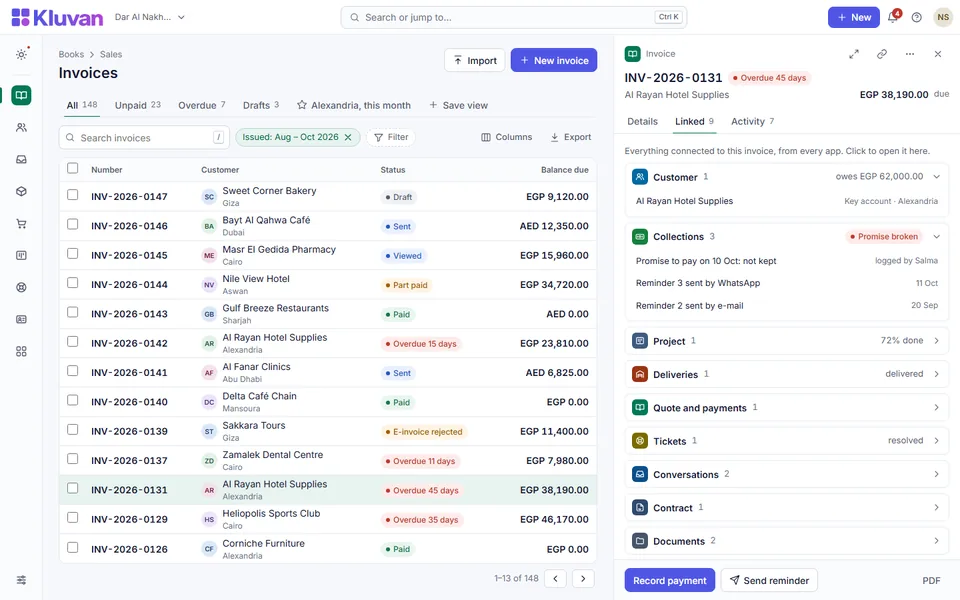
[SHOT books-credit-note 1440x900]Screenshot to come: An issued credit note: the Original invoice number and date as a link, the reason, the lines, the Apply to invoices section and the Record the refund form
Good to know
- The original-invoice reference documents why you gave the credit. It does not apply the credit to that invoice by itself: apply it in step 5.
- Only an issued invoice for the same customer, branch and currency, dated on or before the credit note, can be referenced. The invoice then lists its credit notes under Linked documents.
- Books does not stop you crediting more than the invoice, and does not return stock. Check the amounts and handle returned goods with your accountant.
- Applying a credit to invoices changes only which invoices are paid. Unapplying it (choose None) puts the credit back.
- A refund reduces the credit and records the money paid out by the method you choose. The refund is in your base currency; for a credit in another currency, type the exchange rate.
- Customer links, e-mail and print work for credit notes as for invoices: see Send an invoice or quote. The printed credit note shows the original invoice number, date and reason.
- Copy as a new draft on a credit note clears the reference, so a copied credit needs a new one.
Was this page helpful?
Thank you. Your answer helps us improve this page.
Still need help?
Chat with us on WhatsApp. Tell us what you were doing and, for an error, the code after the # in the link.