
Books
Books is Kluvan's accounting app. You use it to send invoices and quotes, record what customers pay you, enter supplier bills and expenses, keep your bank and cash accounts up to date, and see your profit, balance sheet and cash forecast.
It is made for the owner, the person who runs the money side of the business, and your outside accountant, whom you can invite with exactly the Books rights they need. Books uses the customers and suppliers you already have, items and stock from Inventory, and entries posted by apps such as Expenses, Fixed assets, Projects and Subscriptions, so they all land in the same ledger.
Start with Set up Books. Tax returns, withholding and e-invoicing depend on your country: see Egypt and UAE.
- Set up BooksRun the five-step Books setup: business settings, tax identity, bank and cash accounts, opening balances and your accountant's access.
- Books base currencyBooks keeps its accounts in one base currency. The owner can change it once, before the first entry, sales document or bill.
- Enter opening balancesPost the balances your accounts had on the day Books starts, as one entry against opening balance equity.
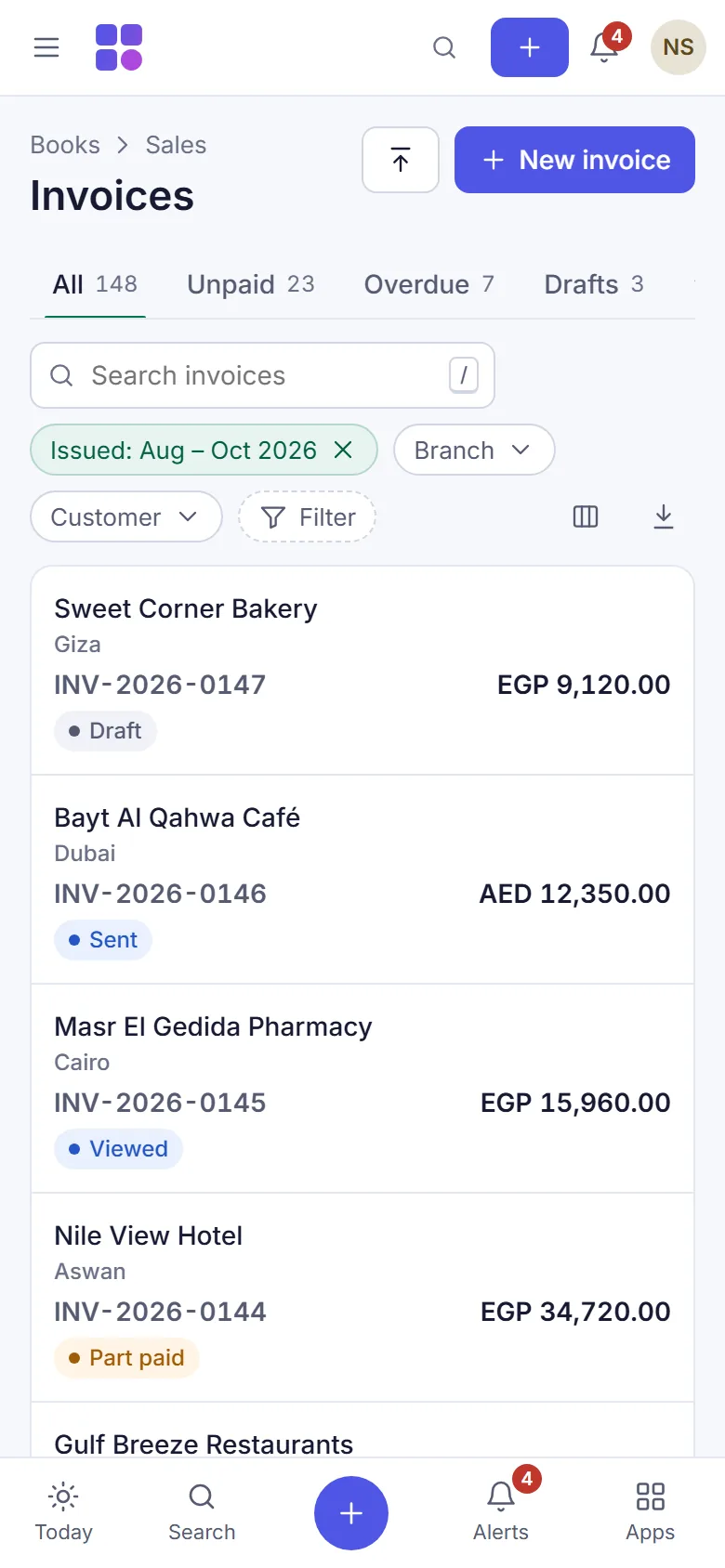
- Create and issue an invoiceDraft a sales invoice with lines, discounts and tax codes, then issue it to give it its number and post it to the ledger.
- Send an invoice or quote to a customerShare an issued document by a private link, e-mail or WhatsApp, revoke the link, or print it and save a PDF from your browser.
- Send a quote and track the outcomeIssue a quote with a validity date, let the customer accept or decline it from its link, and see won, lost and expired quotes.
- Turn a quote into an order and deliveryConvert a quote to a sales order, deliver all or part of it with a delivery note that moves stock, and invoice what was delivered.
- Record a customer paymentRecord money a customer paid, apply it to one or several invoices, handle part payments and keep overpayments as credit.
- Issue a credit note or refundCorrect an issued invoice with a credit note linked to it, apply the credit to invoices, or refund the money to the customer.
- Set up a recurring invoiceTurn an issued invoice into a schedule that issues a new invoice every day, week, month or year, with optional automatic invoice emailing.
- Turn bill images and PDFs into Books recordsEarly accessExtract a supplier bill, review its amounts and use guarded supplier rules for eligible automatic booking.
- Set customer prices and salespeopleGive a customer their own price level or item prices for new invoice lines, and assign a salesperson to sales documents.
- Record a supplier billEnter a supplier's invoice or credit note as a bill, with input VAT and a duplicate check, or start it from goods you received.
- Pay a supplierRecord a supplier payment against one or several bills, keep advances, see what you owe by due date and open a supplier statement.
- Record a paid expenseRecord an expense paid on the spot, a mileage or daily allowance expense, and set up recurring expenses such as rent.
- Manage bank and cash accountsSee bank and cash balances, record transfers between your own accounts and card settlements, and keep a register of cheques.
- Import a bank statementUpload a bank statement in CSV, Excel, OFX or MT940, map its columns, skip duplicates and undo an import if needed.
- Match bank lines and reconcileMatch each imported bank line to a ledger entry, create entries with bank rules, ignore lines, and finish a bank reconciliation.
- Post, reverse and schedule journal entriesPost a manual journal entry, reverse it with a reason, repeat it on a schedule, and search entries across up to 36 months.
- Work with the chart of accountsAdd and edit accounts, open an account's ledger with its running balance, and merge two accounts by moving the balance.
- Require a second person to approve postingsSet an amount above which every Books entry waits for another user's approval, then review, approve or reject requests.
- Track profit by cost centreCreate cost centres for teams or projects, assign them on invoice, bill, expense and journal lines, and report profit per centre.
- Invoice and pay in a foreign currencyIssue invoices and bills in another currency with your own exchange rate, record exchange gains and losses, and revalue at month end.
- Run financial reportsOpen profit and loss, balance sheet, trial balance, profit by branch and business activity reports, compare periods and download Excel or CSV.
- See money in and out and forecast cashRead the indirect cash-flow statement, classify cash movements, and plan the next 13 weeks of cash with invoices, bills and cash plans.
- Use the Books overviewSee cash, profit, what customers owe, what you owe, the VAT estimate and a to-do list of invoices to send, bills to pay and periods to close.
- Close a monthWork through the month-close checklist, lock the month so nothing more is posted into it, and reopen it with a reason if you must.
- Close the year and set budgetsMove the year's profit to retained earnings and carry balances forward, then enter monthly budgets and compare them with actual results.
- Attach files to Books recordsKeep the supplier invoice, receipt or contract next to a journal entry, bill, expense or sales document, stored encrypted and private.
- Change how documents lookChoose a template, accent colour, header, footer, payment instructions and logo for printed and shared invoices, quotes and credit notes.
Was this page helpful?
Thank you. Your answer helps us improve this page.
Still need help?
Chat with us on WhatsApp. Tell us what you were doing and, for an error, the code after the # in the link.